The Ultimate Guide to RAG Implementation: Why Flawless Document Processing is Your Make-or-Break Step


A Practical Guide to Building Robust RAG Systems with [rag jupyter notebook] Examples
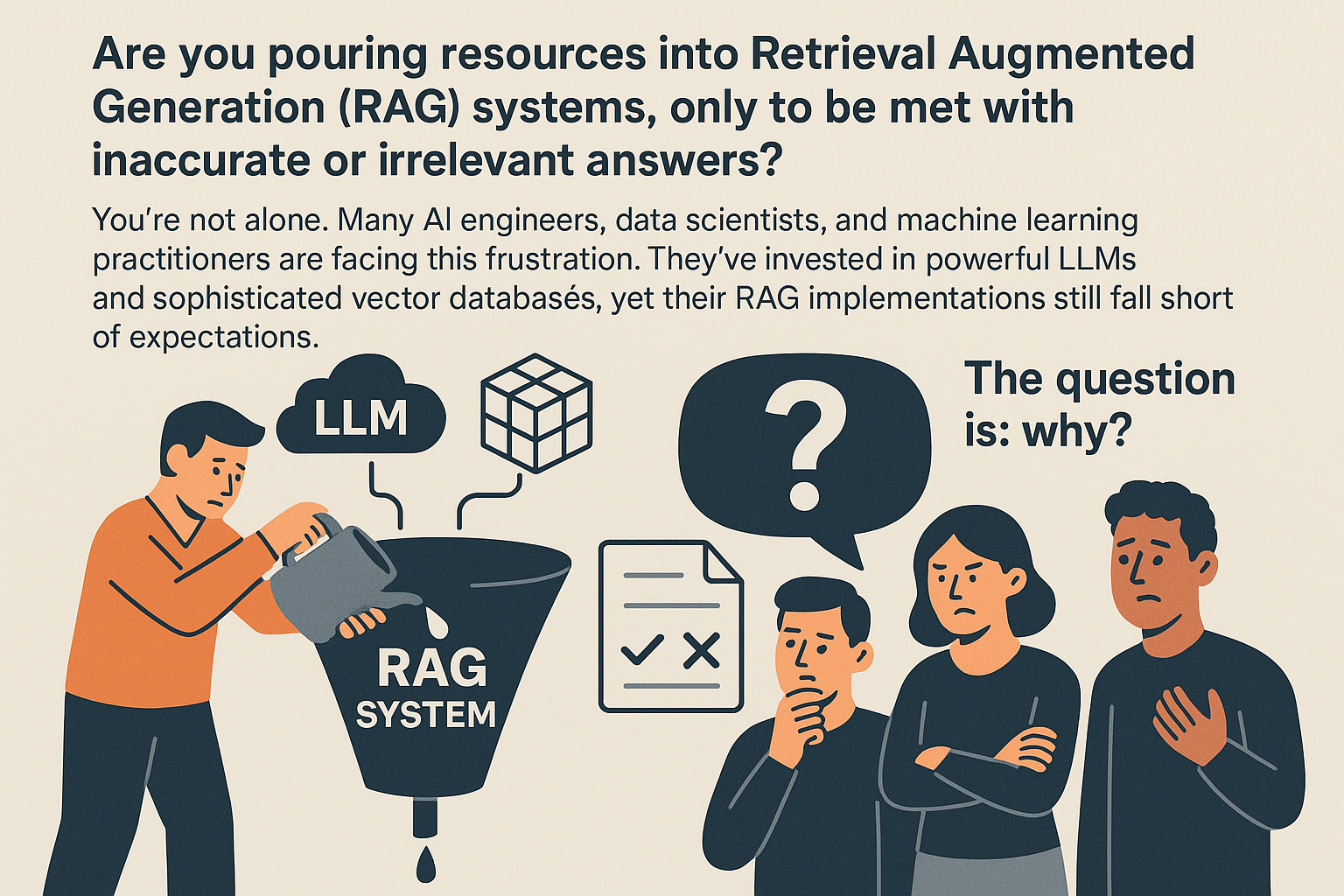
Are you pouring resources into Retrieval Augmented Generation (RAG) systems, only to be met with inaccurate or irrelevant answers? You’re not alone. Many AI engineers, data scientists, and machine learning practitioners are facing this frustration. They’ve invested in powerful LLMs and sophisticated vector databases, yet their RAG implementations still fall short of expectations. The question is: why?
 The truth is, the problem often lies not within the LLM itself, but in the quality of the data it’s fed. RAG systems are fundamentally limited by the information they retrieve. This brings us to the age-old principle of “Garbage In, Garbage Out.” If your RAG system is ingesting poorly processed documents, it’s destined to produce unreliable results, no matter how advanced your LLM is.
That’s where document processing comes in. Consider it the lifeline of your RAG implementation. It’s the critical first step that transforms unstructured, chaotic documents into flawless, AI-ready data. Without high-fidelity document processing, your RAG system is like a race car with square wheels – powerful, but ultimately ineffective. This guide will walk you through the essential steps to ensure your document processing pipeline is up to the task, focusing on how to achieve flawless data RAG.
How Poor Document Processing Cripples RAG Implementation
Let’s dive into some real-world examples of how basic parsing can fail and sabotage your RAG implementation. These failures highlight the crucial role of document processing for RAG accuracy.
Imagine a scenario where a cross-page table in a financial report loses its headers during processing. Suddenly, the numerical data becomes meaningless because the context of each column is lost. Or consider a research paper where mathematical formulas are misinterpreted due to poor OCR, leading to factual inaccuracies and skewed results. Even seemingly minor errors, like misinterpreting footnotes as main text or disrupting the flow of a multi-column layout, can corrupt the intended meaning and render the retrieved information useless. These are just a few examples of how inadequate document processing can undermine the integrity of your RAG system.
To illustrate the devastating impact of poor document processing, consider a “fatal case” scenario: A critical medical document in PDF format, using a common two-column layout, is processed using a basic PDF loader. This loader naively reads across the columns, scrambling sentences and paragraphs. Now, a user queries the system about “contraindications for patients with liver failure.” Ideally, the system should retrieve the section discussing “Special Populations” where this information is detailed. However, because the document was improperly parsed, the relevant text chunk is missing the crucial “Special Populations” heading. As a result, the RAG system fails to provide a complete and accurate answer, directly demonstrating how “Garbage In” leads to “Garbage Out.” This failure erodes trust in the RAG system and underscores the importance of flawless data RAG processing.
The Eight-Dimensional Challenge of High-Fidelity Document Parsing
Effective document processing for RAG isn’t about finding a single “tool”; it’s about implementing a comprehensive “solution” that addresses multiple complex dimensions. Think of it as an eight-dimensional puzzle, each dimension representing a unique challenge that must be overcome to achieve true Retrieval Augmented Generation accuracy.
First, there’s the challenge of File Formats. You need to handle the nuances of various file types, including PDF, Word, Excel, and PPT. Each format presents unique obstacles – PDFs lack inherent structure, Word documents contain rich formatting, and Excel files rely on complex cell relationships. Then, there’s Domain & Layout. The structure of a document varies significantly based on its domain (e.g., academic papers vs. legal contracts) and requires domain-aware parsing. Language is another critical dimension, demanding accurate recognition across multiple languages. And what about Element Types? Differentiating between paragraphs, titles, tables, formulas, and captions is essential to preserve hierarchy and meaning.
The challenge doesn’t stop there. Reading Order requires correctly interpreting single, double, and mixed-column layouts. Image & OCR involves processing scanned text, handwriting, and images with embedded text. Complex Tables demand accurately parsing merged cells and vertical/horizontal headers. Finally, Advanced Capabilities involve intelligent chunking strategies for large, complex elements. Tackling these challenges helps in LLM hallucination reduction RAG.
Unfortunately, no single open-source tool masters all these dimensions. While tools like unstructured.io and llamaindex parser offer some capabilities, they often fall short in handling the complexities of real-world documents. This makes a “one-size-fits-all” approach risky for serious RAG implementation. Production-grade RAG demands high-fidelity across diverse, complex documents, which often necessitates a more specialized solution. This is where platforms like UndatasIO excel, offering a comprehensive solution to transform unstructured data into AI-ready assets.
A Practical Workflow: Upgrading Your RAG Jupyter Notebook
Let’s walk through a practical example of upgrading your rag jupyter notebook to incorporate more robust document processing. We’ll start with a naive approach and then demonstrate how to improve it for better results.
Many RAG implementation efforts begin with a simple file loader that treats complex documents like plain text. This usually involves using libraries like PyPDFLoader from LangChain without any advanced parsing techniques.
# Naive approach in a Jupyter Notebook
from langchain.document_loaders import PyPDFLoader
from langchain.text_splitter import RecursiveCharacterTextSplitter
from langchain_community.embeddings import OpenAIEmbeddings
from langchain_community.vectorstores import Chroma
from langchain_openai import ChatOpenAI
from langchain.chains import RetrievalQA

# 1. Load document (basic text extraction)
loader = PyPDFLoader("complex_report.pdf") # Assumes a flat text output
documents = loader.load()

# 2. Basic chunking
text_splitter = RecursiveCharacterTextSplitter(chunk_size=1000, chunk_overlap=200)
chunks = text_splitter.split_documents(documents)

# (Rest of RAG pipeline continues)
This method, while straightforward, inevitably leads to the “Garbage In” problem we discussed earlier. The resulting RAG data quality suffers significantly.
To achieve a professional RAG implementation, consider the following steps: First, instead of a basic file loader, integrate with a dedicated document parsing service like UndatasIO’s API. These services don’t just extract text; they understand document layouts, identify element types (tables, headings, paragraphs, formulas), and preserve their relationships. The service transforms the document into a structured, AI-ready format (like clean Markdown, HTML, or JSON). This is a core strength of UndatasIO, setting it apart from basic parsers.
# Professional approach using UndatasIO (conceptual API call)
import requests
import json

# Assuming UndatasIO API key and endpoint
UNDATAS_API_KEY = "YOUR_UNDATAS_API_KEY"
UNDATAS_API_URL = "https://api.undatas.io/parse" # Example endpoint

def parse_document_with_undatas(file_path):
    with open(file_path, 'rb') as f:
        files = {'document': f}
        headers = {'Authorization': f'Bearer {UNDATAS_API_KEY}'}
        response = requests.post(UNDATAS_API_URL, headers=headers, files=files)
        response.raise_for_status() # Raise an exception for HTTP errors
        return response.json() # Returns structured output (e.g., Markdown or JSON)

# Use in your Jupyter Notebook
document_path = "complex_medical_report.pdf"
parsed_data = parse_document_with_undatas(document_path)
# Example: If output is Markdown
ai_ready_markdown = parsed_data.get('markdown_output', '')
# Or if output is JSON with structured elements
structured_elements = parsed_data.get('structured_elements', [])
Next, load the AI-ready data into your rag jupyter notebook. The clean, structured output from the parser (e.g., Markdown or structured JSON) can then be easily loaded into popular RAG frameworks like LlamaIndex or LangChain. The data is already logically chunked and contextually complete by the parser’s intelligence.
# Loading AI-ready data into LangChain
from langchain_core.documents import Document
# If parsed_data directly provides clean text or markdown for a single document
doc_content = ai_ready_markdown # or construct from structured_elements

# Create a LangChain Document object (or LlamaIndex Document)
ai_ready_doc = Document(page_content=doc_content, metadata={"source": document_path})

# If the parser also provides smart pre-chunked outputs, you can directly use those
# For simplicity, we'll demonstrate using the clean markdown as a single doc then chunking
# However, a smart parser can often yield pre-chunked, contextual documents directly.
With flawlessly processed data, creating vector embeddings becomes much more effective. The semantic meaning is accurately captured, leading to a truly retrievable knowledge base. Now you can easily build a Vector database RAG pipeline.
# Proceed with embedding and vector store creation (similar to naive, but on clean data)
# If the parser provided pre-chunked docs, use those directly.
# Otherwise, apply a basic splitter on the clean markdown to create smaller chunks if needed.
text_splitter = RecursiveCharacterTextSplitter(chunk_size=500, chunk_overlap=100) # Smaller chunks now feasible
final_chunks = text_splitter.split_documents([ai_ready_doc]) # Splitting the clean document

embeddings = OpenAIEmbeddings()
vectorstore = Chroma.from_documents(final_chunks, embeddings, persist_directory="./chroma_db_pro")
Finally, when querying this system, the LLM retrieves context-rich, accurate chunks, empowering it to provide reliable, complete, and trustworthy answers.
# Retrieval and Generation
llm = ChatOpenAI(model_name="gpt-4-turbo", temperature=0) # Potentially use a more capable LLM with better data
qa_chain = RetrievalQA.from_chain_type(llm, retriever=vectorstore.as_retriever(), chain_type="stuff")

query = "What are the contraindications for patients with liver failure mentioned in the medical report?"
response = qa_chain.run(query)
print(response) # Expect accurate, contextually rich answer
This upgraded workflow, leveraging specialized parsing, delivers superior results and demonstrates the benefits of using UnDatas.IO RAG for improved RAG implementation. UndatasIO’s ability to intelligently transform unstructured data ensures that your RAG system receives the highest quality inputs, leading to more accurate and reliable outputs.
Choosing Your Document Processing Engine: A Strategic Framework
Choosing the right document processing engine is crucial for successful enterprise RAG solutions. It’s not just about finding a tool; it’s about aligning your choice with your specific needs and constraints.
Start by identifying the most complex and critical documents in your dataset (e.g., scanned reports, contracts with complex tables). This helps prioritize where advanced parsing is most needed and justifies the investment. Then, carefully evaluate the trade-offs. General vision models, like GPT-4V, are powerful but can be prohibitively expensive due to high token costs for output. Moreover, they may still fail on specific, complex tasks like parsing tables with merged cells. Specialized platforms, such as UndatasIO, are engineered for accuracy, speed, and cost-effectiveness across a wide range of document types. They don’t just convert documents; they understand them, providing AI-ready data that significantly enhances RAG performance.
UndatasIO stands out by offering a unique blend of precision, scalability, and affordability. Unlike general-purpose tools, UndatasIO is specifically designed for the challenges of document parsing in AI applications, making it a superior choice for those serious about RAG.
Finally, look for guarantees. A reliable platform should offer predictable results, a clear ROI, and a satisfaction guarantee, inspiring confidence in your implementation and giving you true RAG production readiness.
Conclusion: Move from Experimentation to Production-Ready RAG
The success of your RAG implementation is directly proportional to the quality of your document processing for RAG pipeline. It’s time to stop blaming the LLM and focus on providing it with the highest quality, AI-ready data from the start. By prioritizing flawless document processing, you can unlock the full potential of RAG and achieve truly reliable and trustworthy results.
Don’t let poor data be your bottleneck. Take the next step by testing a professional-grade solution. Try UndatasIO free for 7 days to experiment with your own complex documents and see the difference flawless parsing makes. Visit UndatasIO to learn more and start your free trial today.
📖See Also
- In-depth Review of Mistral OCR A PDF Parsing Powerhouse Tailored for the AI Era
- Assessment-Unveiled-The-True-Capabilities-of-Fireworks-AI
- Evaluation-of-Chunkrai-Platform-Unraveling-Its-Capabilities-and-Limitations
- Is-SmolDocling-256M-an-OCR-Miracle-or-Just-a-Pretty-Face-An-In-depth-Review-Reveals-All
- Can-Undatasio-Really-Deliver-Superior-PDF-Parsing-Quality-Sample-Based-Evidence-Speaks
Subscribe to Our Newsletter
Get the latest updates and exclusive content delivered straight to your inbox